freeno account needed5 minutes
NoAMP doesn't ship with amps, on purpose. It plays your captures, and there are thousands of great ones out there for free. This page shows you where to get them and exactly how to load them. If you'd rather read the full manual, it's at illsea.com/docs/noamp.
Three kinds of file go into NoAMP. In plain terms:
| Slot | What it is |
|---|---|
| NAM (the amp) | A .nam file is a Neural Amp Modeler capture: a computer's fingerprint of a real amp, made by recording that amp and training a tiny neural net to sound exactly like it. Load one into an amp slot and NoAMP becomes that amp. This is the sound. |
| Color (dirt, or anything) | The Color slot is a second capture that runs in front
of the amp, like a pedal before your amp. Usually that's a dirt box: an overdrive, fuzz or boost
someone captured. But a capture is just a fingerprint of whatever made it, so Color can be any gear in
the chain: an analog reel-to-reel tape deck, a preamp or channel strip, a console, a transformer,
a broken cassette machine, a weird DI. If it exists as a .nam, you can stack it in front of your
amp. Color means "the thing before the amp," not just "fuzz." |
| IR (the cab) | An Impulse Response (a .wav) is a snapshot of a speaker
cab plus a mic. It's what makes a raw amp sound finished and miked-up. Skip it if your amp capture already
includes the cab (a "full rig" capture); add one if the capture is amp-only and sounds raw or fizzy. |
You don't need all three. One amp .nam already sounds like a real amp. Add Color for
dirt or flavor, add an IR when the capture needs a cab.
.zip. Unzip it, inside are the .nam
files (and sometimes cab .wav IRs too).Documents\NAMs. Keep amps, pedals and cabs in
their own subfolders if you like, NoAMP's next/prev arrows walk whatever folder your loaded file is in.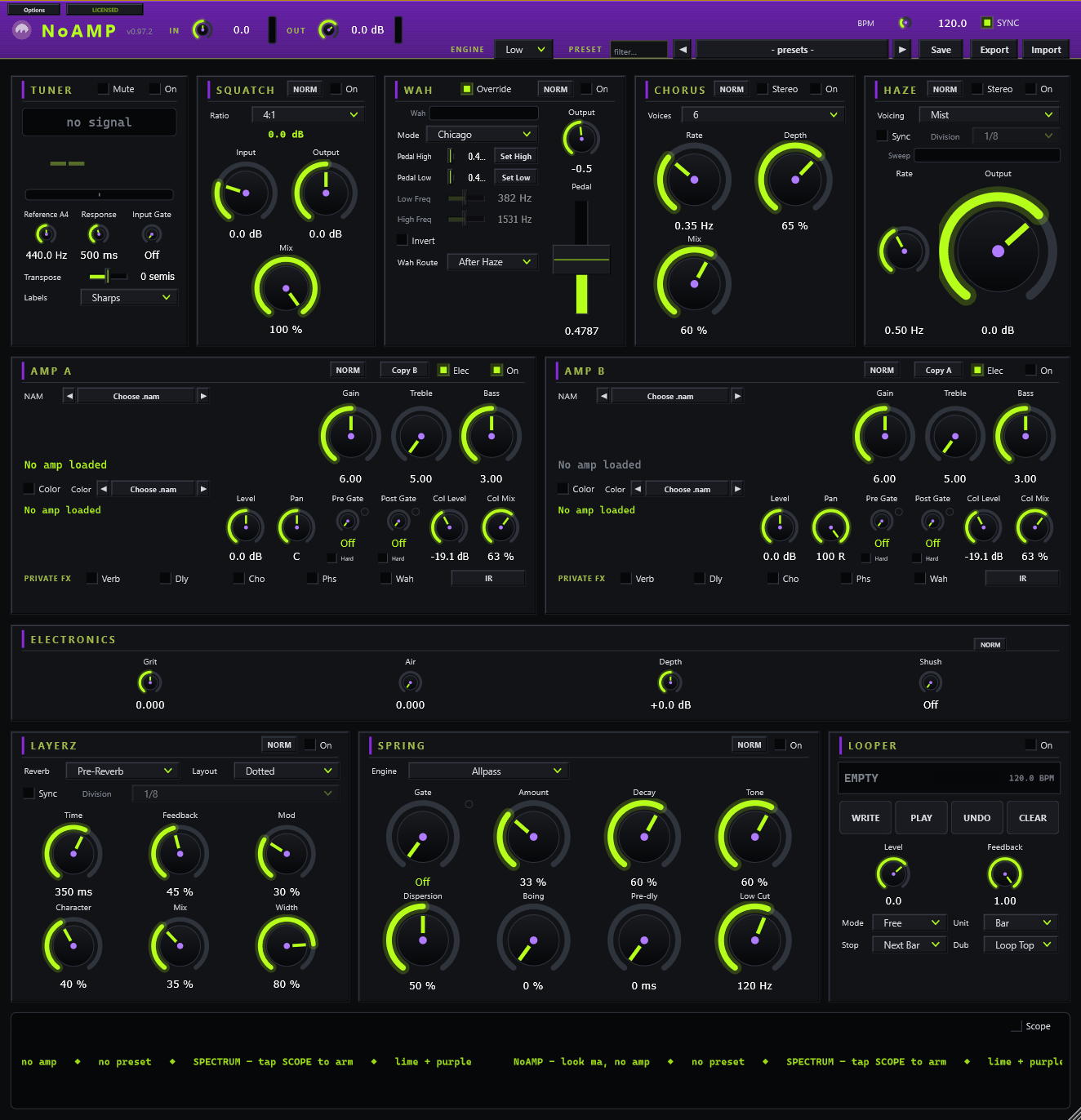
Each amp card has three load spots: Choose .nam (the amp), the Color row's Choose .nam (dirt or any front gear), and the IR button (the cab).
The amp:
.nam in that folder, so you can try a whole
pack without reopening the file box. Both arrows are MIDI-learnable if you want to walk them with a footswitch.Color (dirt, or any front-of-amp gear):
The cab (IR):
.wav).Swap or clear: once something's loaded, its button becomes a menu, Load new... replaces it, Clear unloads it. An empty amp slot reads No amp loaded; an empty Color slot reads No color loaded.
| Too fizzy? | Your capture is probably amp-only. Load a cab IR, or turn down Treble and try the Bright switch off (in the amp's NERD view). |
| Too quiet / loud? | Everything is auto-leveled so nothing clips. Use each amp's Level and the master OUT to balance. A red cap on the OUT meter means back off. |
| Which .nam is best? | Try a few with the ◀ ▶ arrows. "Standard" or "full" captures are the most accurate; "lite" ones use less CPU. |
| Moved your files? | Presets remember captures by file path. If you move or rename a .nam,
a preset shows the name with (missing), just point it at the new location. |